05 / 07 · Case study
Spiiro
Role
Product Engineer
Discipline
- Engineering
Context
Healthtech
Year
2026
Two rounds of clinical interviews reframed the whole build: the hard problem wasn't measuring a breath, it was replacing the supervisor who normally catches a bad one.
As part of a 4-person biomedical engineering capstone team at the University of Waterloo, I led stakeholder interviews with respirologists and clinical researchers, then built the companion app, its Bluetooth integration with the custom hardware, and the test-taking flow itself.
8
physicians and researchers consulted to shape the design and validation approach
90%
accuracy separating a valid test from an invalid one, in the shipped hierarchical model the app coaches against
50–80ms
latency from breath to on-screen coaching cue
$279 CAD
target price vs. $350+ CAD for commercial spirometers, at a projected 32.7% IRR
A test that only works when watched
Spirometry is well understood clinically, but it depends on a clinician watching the patient breathe.
One in five Canadians lives with a serious respiratory disease like COPD, and the 18% who live in rural communities face the worst of it: appointments months apart, hours of travel, and a disease that can progress unnoticed in between. A cough, a hesitation, a half-effort breath, all of it quietly invalidates a result, and normally a technician catches it in the moment and asks the patient to redo it.
Take the supervisor out of the room and that quality check disappears with them. The commercial at-home spirometers we looked at didn't replace it, they just assumed perfect technique and handed back a number regardless. Our team's premise was that an at-home device only earns the word "clinical-grade" if it can catch what the supervisor would have caught.
What the clinic floor actually looks like
Before any of us wrote code, I led the stakeholder research.
That meant interviews with respirologists and clinical researchers, and an in-person visit to an airway clinic to watch spirometry technicians run real tests. The goal was narrow: understand exactly what a human supervisor is doing that a device would need to do instead.
Two things came out of those conversations that shaped everything downstream. First, the errors that invalidate a test are a short, specific list, poor effort, a short blow, coughing mid-test, a premature stop or restart, hesitation, which meant the app didn't need to understand every possible way a breath could look wrong, just those five. Second, clinics calibrate their spirometers daily against a 3-litre syringe at slow, medium, and high flow speeds before trusting a single reading, a step that has no equivalent at all in a device that only ever gets used by one untrained person on their kitchen counter.
That reframe is what let the rest of the team scope a two-layer AI model against exactly five error types instead of an unbounded one, and it's what told me the app needed a calibration step of its own, not just a results screen.
Cross-platform, until it wasn't
I built the companion app in Flutter so one codebase could target both iOS and Android, rather than maintaining two native builds with a four-person team.
That held until we tried to actually deploy to an iPhone: Apple's additional device-testing requirements made iteration slow enough that we had to make a call.
Scope call
Develop against Android exclusively and treat iOS as a later port. Cross-platform was still the right starting bet, it just meant staying honest about when the "write once" promise stops being free.
Making the Bluetooth link trustworthy
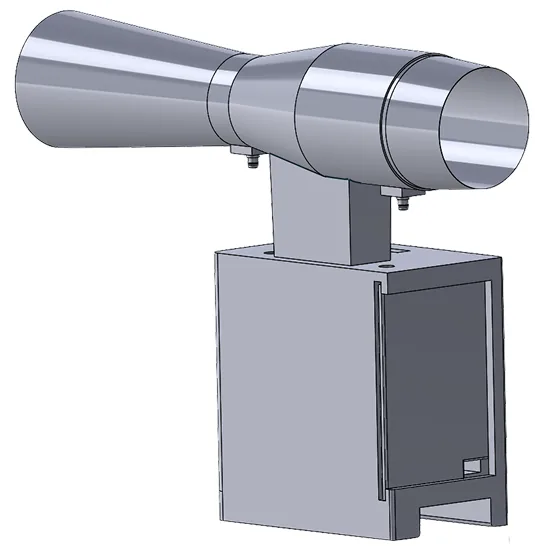
The harder integration problem was making the Bluetooth link trustworthy enough for a clinical reading.
The device streams flow data at 100Hz, but sending every sample individually would have congested the BLE stack, so I worked within the team's batching scheme, 10 samples per 20-byte packet, sent at roughly 10Hz, and reconstructed true per-sample timing on the app side from total test duration rather than trusting packet arrival time, since BLE transmission jitter would otherwise have thrown off the flow-volume curve.
Fine in a demo, wrong for a real user
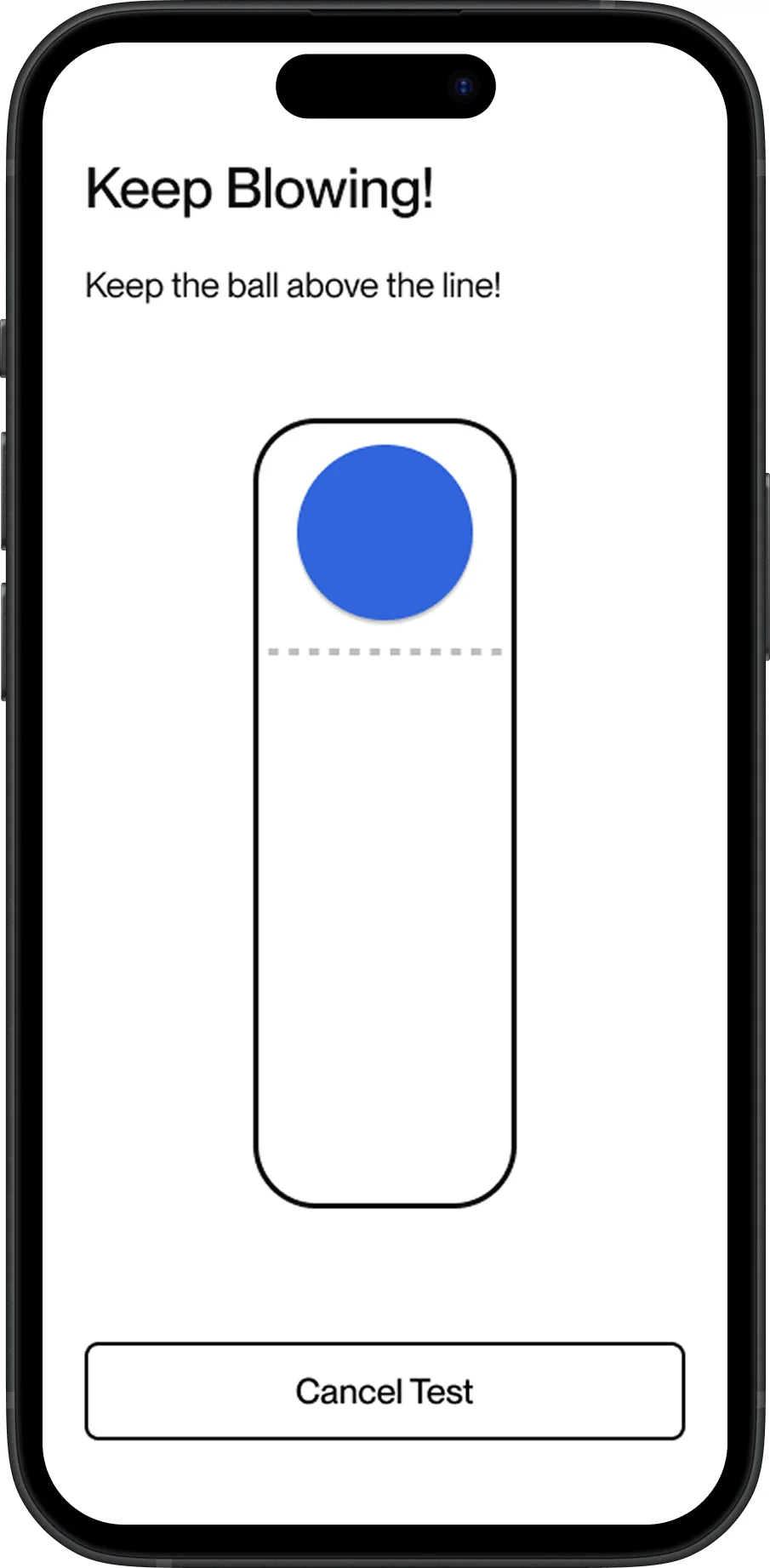
To keep patients motivated through a 20-second test, the app shows live flow-rate feedback as a simple game: a ball that responds to how hard the user is breathing.
My first version gave every user the same static target line to hit. It worked in a quick demo, but it had two problems that only showed up with the elderly, rural users we were actually designing for: it needed per-user calibration to mean anything, and it assumed a flow rate that's only true in the first second of a real exhale. A human breath peaks fast, then tapers off, so a flat target left users watching the ball fall further behind for the second half of every test, which is exactly the kind of discouraging feedback loop that tanks compliance in a population we couldn't afford to lose.
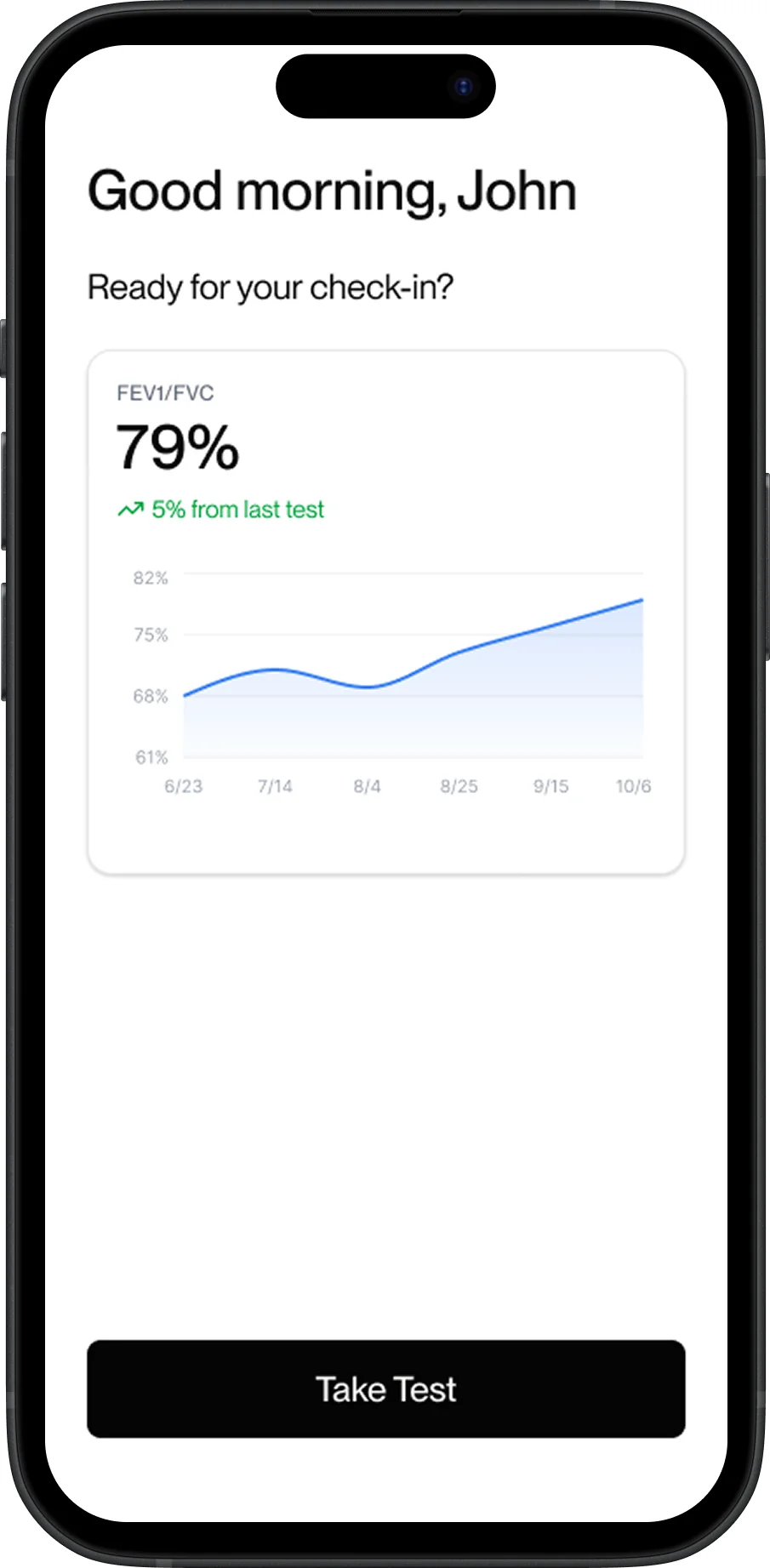
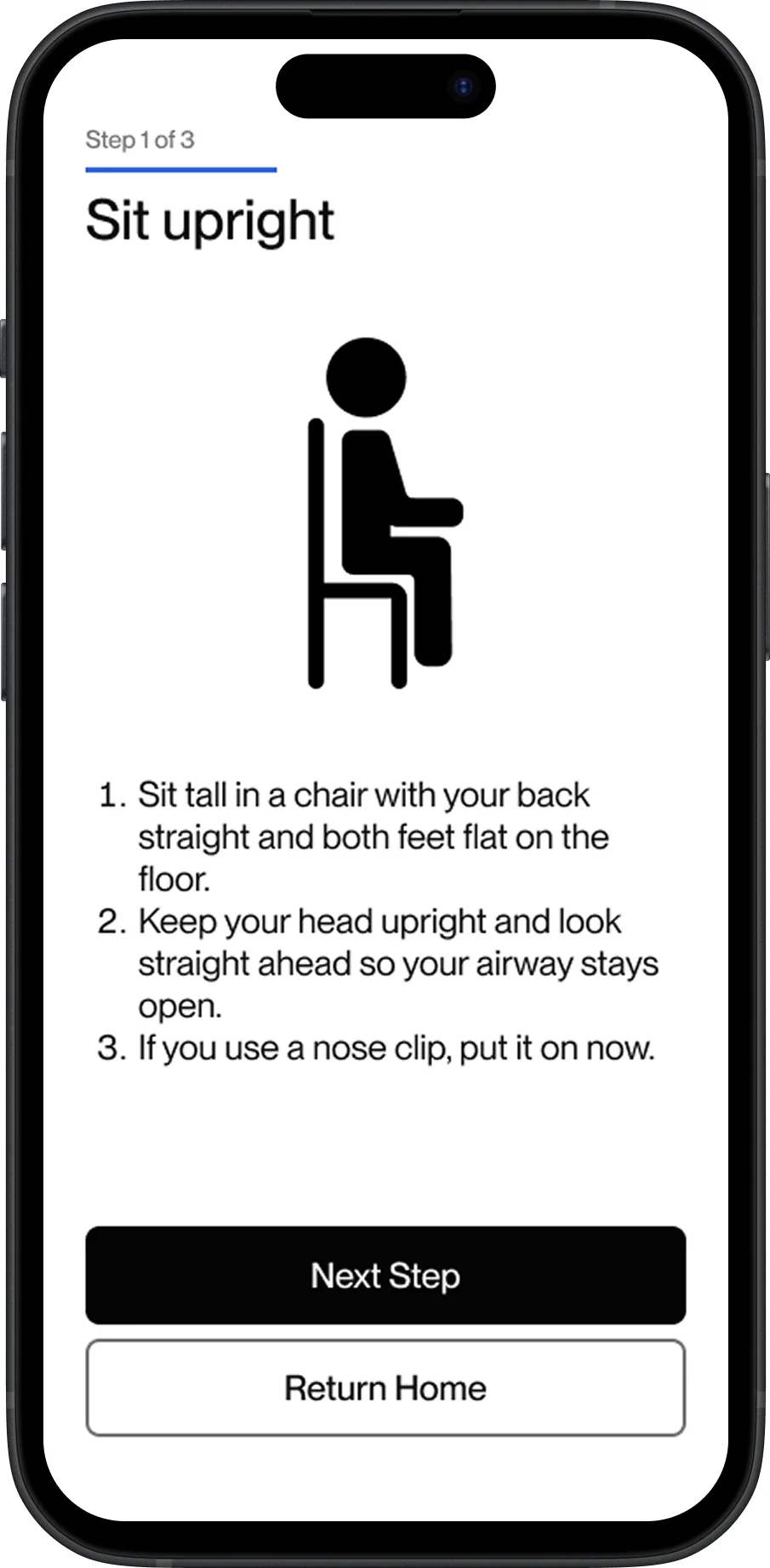
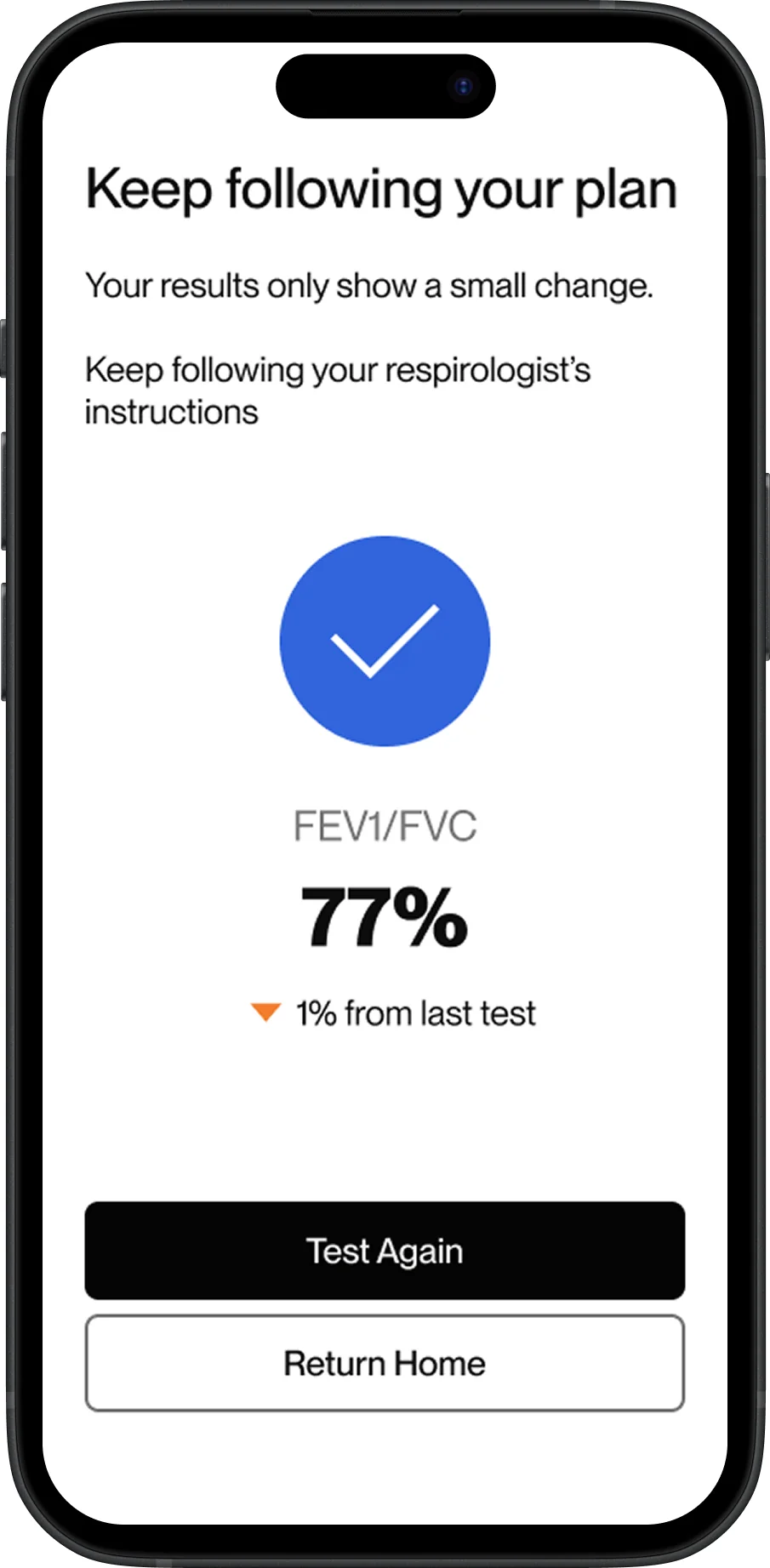
That same design instinct, build for the person on the other end of the device, not the happy-path demo, ran through the rest of the flow: large single-purpose screens, plain-language test instructions instead of clinical terminology, and a results view that answers "am I doing better or worse than last time" before it shows a single raw number.
The bar was clinical trust, not price
The final prototype met the numbers that mattered.
90% accuracy separating a valid test from an invalid one, 88% accuracy identifying which of the five errors occurred, and a 50–80ms round trip from breath to on-screen coaching. At a proposed $279 CAD against commercial spirometers running $350 and up, it's also a financially viable at-home alternative, not just a research prototype.
We were equally direct about where it falls short.
- –The AI model was trained on tests performed by team members rather than real COPD patients, so it hasn't been validated against the population it's meant to serve.
- –The device captures exhalation only, not the full breath cycle a clinical reading uses.
Tradeoff
BLE encryption during active transmission was deliberately deferred: we tried it, connection reliability dropped enough to make the device frustrating to use, and for a capstone prototype we chose a device that works over a security property that would need re-earning before any real deployment anyway.
None of these are things I'd want to ship past a prototype, but naming them precisely is what makes the 90% a number worth trusting instead of one worth doubting.